How to Integrate Aircon Control Into Your Smart Home: A Step-by-Step Installation Guide
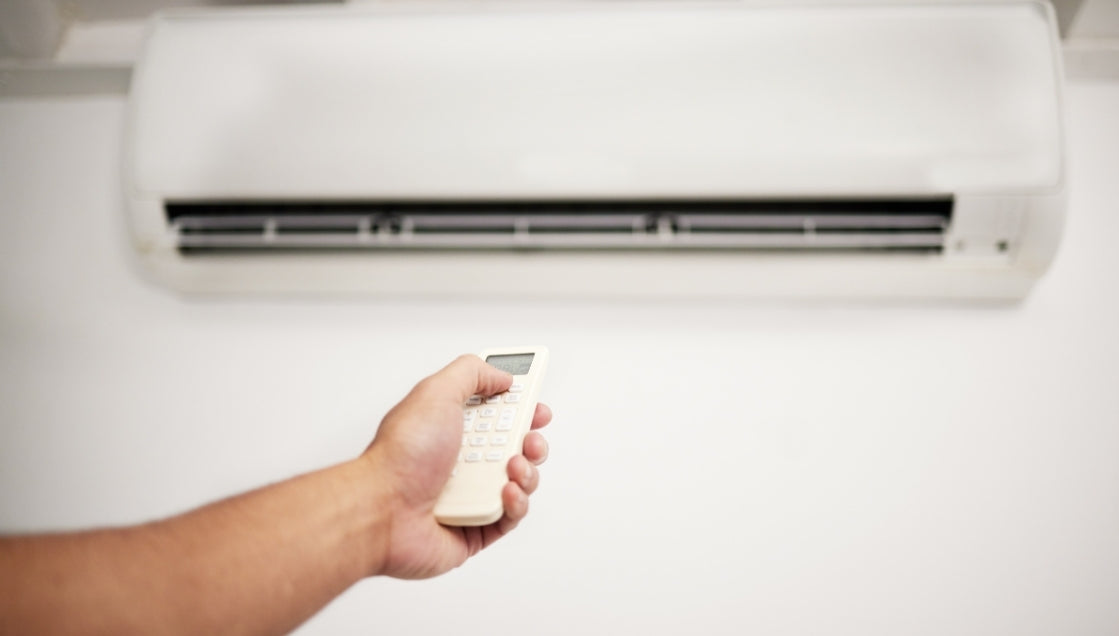
Your aircon is probably the most-used appliance in your Singapore home. Here's how to make it smart, what's actually involved, and why not all systems deliver the same result.
The Two Methods of Smart Aircon Integration
Method 1: IR Blaster (Works With Any Aircon Brand)
An IR blaster is a small device that replicates the infrared signals from your existing remote control. It sits in your room, learns your remote's commands, and sends them on demand from your phone, voice assistant, or automation rules.
What it controls:
- Power on/off
- Temperature adjustment
- Fan speed
- Mode switching (cool, dry, fan)
- Swing direction
What it can't do:
- Receive real-time status from the aircon (one-way communication only)
- Confirm the unit actually received the command
This is the most common and cost-effective method. It works with any aircon brand: Daikin, Mitsubishi, Panasonic, Samsung, LG, Midea, you name it.
Method 2: Deep Wi-Fi Integration (Brand-Specific)
Some aircon brands offer direct Wi-Fi modules that enable two-way communication. The system knows the current temperature, operating mode, and can confirm commands were received.
Currently supported for deep integration:
- Daikin iSmile series (via Wi-Fi module)
- Mitsubishi Electric inverter models (via CN105 connector)
Deep integration gives you bi-directional feedback: the system knows if the AC is actually running, at what temperature, and in what mode. This enables smarter automation logic (e.g., "if AC has been running for 3 hours, switch to fan mode").
Step-by-Step: Installing IR Blaster Aircon Control
Step 1: Choose Your IR Blaster
Not all IR blasters are equal. The key differentiator is whether the device can learn signals on-site or depends on a cloud library.
Step 2: Placement (This Is Where Most People Get It Wrong)
IR signals are light waves. They require line of sight to the aircon's receiver (usually a small window on the front panel of the indoor unit).
Placement rules:
- Position the blaster so it has a clear, unobstructed path to the AC's IR receiver
- Avoid placing behind furniture, curtains, or inside closed cabinets
- If line of sight isn't possible, IR signals can sometimes bounce off walls and ceilings, but this is unreliable
- USB-powered (5V), so place near an available USB port or power socket
- One blaster per room is required, since IR cannot pass through walls
Common mistake: Homeowners hide the blaster inside a shelf or behind a TV. If the signal can't reach your aircon's receiver window, the command won't register, and you'll think the system is broken.
Pro tip: If aesthetics are a concern, an IR converter (concealed behind the AC unit) can be used as an alternative to the standard blaster sitting on a shelf.
Step 3: Signal Learning and Configuration
Once placed, the blaster needs to learn your aircon remote's commands:
- Point your physical remote at the IR blaster
- Press each button (on, off, temp up, temp down, fan speed, mode) one by one
- The blaster stores each signal in its internal memory
- Test each command from the app to confirm the AC responds correctly
With Home-A-Genius, this is done by the installation team on-site. The Broadlink blaster has internal memory, so once learned, commands are stored permanently and execute locally without internet.
Important limitation: If you have two aircon units very close together in the same room, the IR blaster cannot isolate commands to just one unit (both will respond to the same signal).
Step 4: Add a Temperature & Humidity Sensor
An IR blaster alone gives you remote control. Adding a room sensor gives you intelligent control.
With a temperature sensor in the room, you can create automations like:
- "If room temperature exceeds 28°C and someone is home, turn on AC to 24°C"
- "If room drops below 23°C, switch AC to fan mode"
- "If humidity exceeds 80%, activate dry mode"
The Broadlink blaster has an optional built-in temperature and humidity sensor. Alternatively, a separate Zigbee temperature sensor (battery-powered, 3M mounted) provides more accurate readings since it can be placed at human height rather than wherever the blaster sits.
Step 5: Build Your Automation Rules
This is where aircon control transforms from "remote on your phone" to genuinely smart. Here are real automation examples:
Time-based:
- AC turns on at 10:30pm (before you go to bed) and switches to 26°C at 3am when your body has cooled down
- AC turns off at 7am on weekdays when everyone leaves for work
Occupancy-based (requires presence sensor):
- AC turns on when someone enters the bedroom and stays for more than 2 minutes
- AC turns off 10 minutes after the last person leaves the room
Scene-based:
- "Good Night" scene: AC to 25°C, lights off, curtains closed, door locked
- "I'm leaving" scene: all ACs off, all lights off, security armed
- "Movie time": living room AC to 23°C, lights dim, TV on
Voice-based (with AI Smart Home):
- "Turn on bedroom aircon at 8pm tonight" → scheduled command, executes locally
- "I'm hot" → AI understands intent, turns on AC to your preferred temperature
- "Set AC to 24 degrees in 30 minutes" → time-delayed command
Key difference from Google Home / Alexa: Voice assistants can send immediate commands, but they cannot schedule device actions for a specific future time. "Turn on aircon at 8pm" simply doesn't work on Google or Alexa. With Home-A-Genius AI, it does, because the command is processed and scheduled locally on the hub.
Home-A-Genius Aircon Integration
How it works: Single local hub with IR blaster capability, controls aircon alongside everything else (lights, curtains, vacuum, etc.) from one app. No secondary hub or cloud dependency needed. The local server means automations fire instantly and keep working even if internet drops. You can trigger AC as part of scenes ("come home" = AC on, lights dim, curtains close) without stitching together multiple apps.
Key differentiators:
- One app, one hub, no fragmented ecosystem
- Local processing = fast + private (data stays in-home)
- Scene-based control: AC ties into lighting, curtains, vacuum in a single tap or trigger
- Works with existing aircon units (no need to replace hardware)
- IFTTT integration for anything not natively supported
Home-A-Genius vs. Other Systems
| System | How Aircon Works | Trade-off |
|---|---|---|
| Aqara (Hub M3/M200) | IR blaster built into hub, Zigbee sensors for temp triggers | Locked to Apple Home / Aqara app ecosystem. Need one hub per room. |
| Google Home / Alexa | Voice commands via Daikin Wi-Fi module or IR blaster add-on | Cloud-dependent, breaks if internet goes down. Limited automation logic. |
| Home Assistant | Deep customization, IR + Wi-Fi + Matter support | DIY, steep learning curve, no local support in SG |
| Daikin Wi-Fi module | Native app control for Daikin units only | Brand-locked. Can't unify with non-Daikin devices. |
| Tuya/Smart Life IR blasters | Cheap, broad compatibility | Cloud-reliant, slow response, privacy concerns (China servers) |
| Matter-enabled units (2026+) | Cross-platform by design | Still early; most existing SG units aren't Matter-ready |
Founder's Take
"Aircon control is the gateway drug to smart home. But most people are doing it wrong."
Every homeowner I meet starts with the same question: "Can I control my aircon from my phone?" That's the wrong question. You don't need a $200 gadget to press a button you can already reach from your sofa.
The right question is: "Can my home make better decisions about cooling than I can?"
The answer is yes, but only if your aircon isn't living in a silo. Most systems treat aircon as a standalone thing: one app for your AC, another for lights, another for curtains. That's not smart. That's just more apps.
Real aircon integration means your AC knows when you're home, knows when you're asleep, knows that closing the curtains at 2pm means it doesn't have to work as hard. It means your "Good Night" command handles the AC, the lights, and the locks in one breath, not three separate apps.
I've seen clients spend $500 on a Daikin Wi-Fi module and still manually adjust their AC every night. I've seen others spend $80 on an IR blaster paired with a $20 temperature sensor and a proper automation rule, and their energy bill drops 15% without them lifting a finger.
The technology isn't the hard part. The thinking is.
— Cheryl, COO - Home-A-Genius
FAQ
Do I need to replace my aircon to make it smart?
No. IR blaster control works with any existing aircon unit, regardless of brand or age. You keep your current hardware.
How many IR blasters do I need?
One per room with an aircon unit. IR signals cannot pass through walls.
Can I still use my physical remote?
Yes. The IR blaster sends commands to the AC, but your original remote still works normally. However, if someone uses the physical remote, the system won't know the AC's state changed (one-way limitation).
What if my aircon uses a rolling code remote?
Rolling code remotes (where the signal changes with every press) are not compatible with IR blasters. This is rare for residential aircon in Singapore but worth checking.
Is it worth upgrading to deep integration (Daikin/Mitsubishi)?
If you want bi-directional feedback (system always knows the AC's actual state), more reliable automation, and full mode control, yes. It's particularly valuable for complex automations where the system needs to confirm the AC responded before triggering the next step.